The Dutchie Extensions SDK is a React and TypeScript framework that lets approved agencies add custom UI components to predefined areas of a Dutchie Ecommerce Pro storefront.
That's the simple version.
The more important version is this:
The SDK is not a full headless ecommerce platform.
You are not rebuilding checkout. You are not replacing Dutchie's backend. You are not controlling payments, compliance systems, or the commerce engine itself.
Instead, Dutchie Ecommerce Pro uses a managed-core architecture. Dutchie owns the infrastructure and business logic. Agencies customize specific storefront “slots” using React components.
That distinction matters a lot.
We’ve already seen agencies scope Ecommerce Pro projects like old Dutchie Plus builds, only to discover halfway through development that checkout customization, SSR control, or backend integrations are off-limits.
On the other hand, teams that understand the slot model upfront are shipping solid branded storefronts much faster and with far less maintenance overhead.
Why the Dutchie Extensions SDK Exists
The SDK exists because Dutchie is moving away from the old Plus model.
Dutchie Plus gave agencies extensive flexibility through APIs and custom frontend control. It also created a major long-term support burden. Agencies maintained infrastructure, integrations, deployment pipelines, frontend frameworks, and custom commerce logic.
Ecommerce Pro shifts that model.
Dutchie now operates the commerce engine as a managed platform while agencies customize the presentation layer.
That means:
Dutchie handles checkout
Dutchie handles compliance
Dutchie handles payments
Dutchie handles infrastructure
Agencies focus on branding, UX, merchandising, and storefront customization
For some operators, that tradeoff is excellent.
For others, especially dispensaries with highly customized Plus builds, the limitations may feel restrictive.
That's why migration planning matters.
If you need broader context on the transition itself, read our guide on the Dutchie Plus sunset and migration timeline.
What Is the Dutchie Extensions SDK?
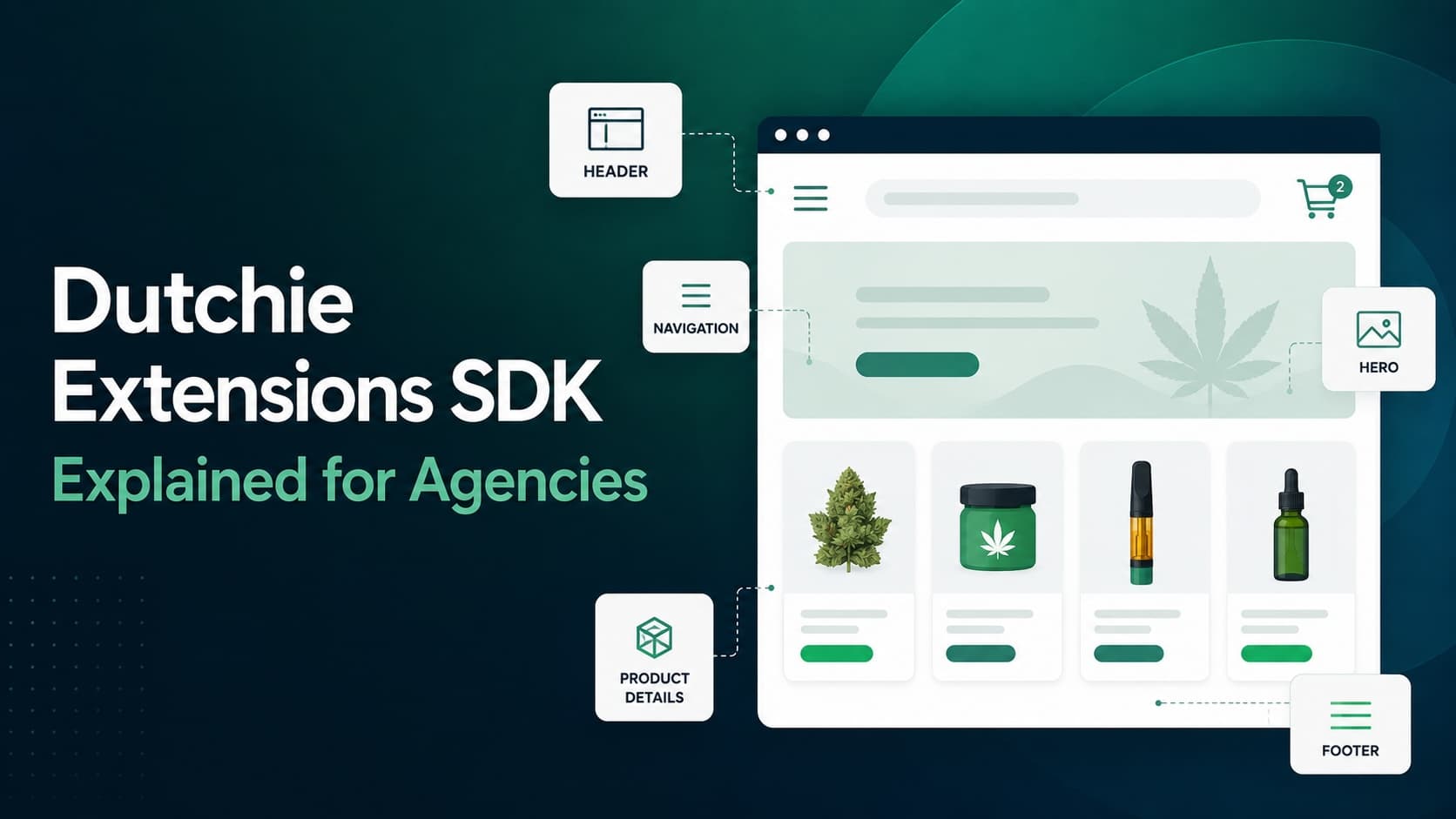
The Dutchie Extensions SDK package is a React and TypeScript SDK that lets approved partners inject custom frontend components into predefined locations on a Dutchie Ecommerce Pro storefront.
Those predefined locations are called slots.
Your agency builds React components that render inside those slots while Dutchie's managed core handles everything underneath.
Think of it like this:
Dutchie Managed Core | Agency-Controlled SDK Layer |
|---|---|
Checkout | Header customization |
Cart engine | Navigation UX |
Payments | Hero sections |
Compliance | Product detail layouts |
Loyalty systems | Landing pages |
SEO-ready infrastructure | Brand storytelling |
Product sync | Promotional content |
This architecture gives agencies meaningful customization capabilities without forcing them to maintain an entire ecommerce platform.
For many dispensaries, that’s a good trade.
How the Ecommerce Pro Architecture Works
The fastest way to understand Ecommerce Pro is to think of it as a managed commerce platform with controlled frontend extension points.
What Dutchie Controls
Dutchie owns:
Cart logic
Checkout flow
Payments
Compliance systems
Product infrastructure
Hosting
Performance optimization
Core SEO infrastructure
Authentication
Loyalty integrations
AI personalization systems
Agencies do not directly modify these systems.
That may sound restrictive at first, but there’s a practical upside.
Most dispensaries do not actually want to maintain ecommerce infrastructure forever. They want a storefront that looks differentiated, converts well, and stays operational without engineering headaches every quarter.
That's the value proposition behind Ecommerce Pro.
What Agencies Control
Agencies build custom React components that plug into designated storefront slots.
These components can:
Access storefront state
Read product and cart data
Navigate users around the storefront
Render custom layouts
Create branded experiences
Build custom landing pages
Surface dynamic merchandising content
The SDK handles the connection between your component and Dutchie’s managed systems.
The Seven Available Slot Types
The SDK exposes seven primary extension slots through the RemoteModuleRegistry interface.
Each slot represents a controlled area where your agency can render custom UI.
StoreFrontHeader
This controls the top-level header experience.
Typical use cases:
Branded navigation bars
Live cart indicators
Location switching
Promo banners
Loyalty CTAs
Delivery messaging
For most agencies, this is the first SDK component they build.
StoreFrontNavigation
This slot handles the primary navigation experience.
Agencies commonly use it for:
Mega menus
Category flyouts
Mobile nav systems
Brand-focused menu structures
Collection discovery
Because the SDK exposes category data dynamically, agencies can build navigation systems that automatically reflect the live catalog instead of relying on hardcoded menu structures.
StoreFrontHero
This controls the homepage hero area.
Typical implementations include:
Rotating promotions
Seasonal campaigns
Dynamic fulfillment messaging
Brand launches
Collection highlights
Personalized merchandising
ProductDetailsPrimary
This is the primary custom content area on product pages.
Agencies use it for:
Custom product layouts
Educational modules
Enhanced PDP design
Terpene education
Product highlights
Brand storytelling
ProductDetailsSecondary
This secondary product-page slot is often used for:
Cross-sells
Related products
Reviews
Educational content
FAQs
Brand modules
StoreFrontFooter
Agencies commonly include:
Multi-location links
Compliance content
Hours
Delivery regions
Rewards information
SEO-supporting internal links
RouteablePages
This is the most flexible slot in the SDK. It allows agencies to register fully custom URL routes.
Examples include:
About pages
Store locators
Campaign landing pages
Event pages
Brand hubs
Educational content
Promotional pages
This slot is where agencies can create the most differentiated experiences.
How useDataBridge() Works
The useDataBridge() hook is the core integration layer between your React components and Dutchie's managed systems.
The hook exposes live storefront data including:
User state
Cart state
Location data
Catalog data
Navigation actions
Cart actions
The biggest advantage here is reactivity.
If a user updates the cart, every connected component receives updated state automatically.
No custom event architecture. No polling. No separate state-management layer.
For agencies, that dramatically reduces frontend complexity.
What Agencies Can Actually Build
The SDK is capable, but it's capable within boundaries.
Teams that understand those boundaries early usually have a much smoother migration experience.
Good Fits for the SDK
The SDK works very well for:
Branded storefront redesigns
Multi-location navigation
Dynamic homepage experiences
Custom merchandising modules
Campaign landing pages
Product education experiences
Promotional experiences
Enhanced product detail pages
For many dispensaries, this covers most real-world needs.
What the SDK Cannot Customize
This is the section most agencies wish they had read earlier.
Checkout Customization
Checkout is primarily controlled by Dutchie.
Agencies cannot redesign checkout or inject SDK-based custom components into the checkout experience itself, though Dutchie does offer limited admin-configured checkout messaging through Ecommerce settings.
If your client’s existing Plus storefront depends heavily on custom checkout behavior, Ecommerce Pro may not fully replace that experience.
Payment Systems
Payment handling remains part of Dutchie's managed infrastructure.
The SDK does not expose:
Payment method logic
ACH workflows
Payment customization hooks
Transaction-layer integrations
Server-Side Rendering
As of the current alpha release, there is no publicly documented SSR support.
That has implications for:
Initial render control
Performance optimization strategies
Highly customized SEO implementations
Advanced frontend architecture patterns
Compliance Systems
Age verification, purchase limits, and compliance systems remain managed by Dutchie.
Backend Event Infrastructure
The SDK is frontend-oriented.
It does not currently expose:
Webhooks
Backend event subscriptions
Order lifecycle integrations
Server-side business logic hooks
Dutchie Extensions SDK vs Dutchie Plus
Capability | Ecommerce Pro + SDK | Dutchie Plus |
|---|---|---|
Frontend customization | Moderate to high | Very high |
Checkout customization | Limited | Yes |
Infrastructure ownership | Dutchie | Agency/client |
Maintenance burden | Lower | Higher |
Payment customization | No | Possible |
SSR control | Limited | Full |
Hosting responsibility | Dutchie | Agency/client |
Deployment control | Shared with Dutchie | Agency-controlled |
Compliance burden | Lower | Higher |
There's no universally correct choice.
Some dispensaries genuinely should move to Ecommerce Pro.
Others may need a more flexible architecture if their business depends on deep frontend and backend customization.
The SDK Is Still in Alpha
As of early 2026, the SDK remains in alpha.
That does not mean it's unusable.
It does mean agencies should scope projects realistically.
What Alpha Status Means in Practice
Interfaces Can Change
Hooks, types, DataBridge versions, and APIs may evolve.
Agencies should expect version maintenance work over time.
Documentation Gaps Exist
Teams should expect some exploratory development.
Migration Timelines Add Pressure
The Dutchie Plus sunset timeline means many dispensaries are evaluating Ecommerce Pro before the SDK reaches long-term maturity.
Simple branded storefronts are already realistic today.
Very complex storefront ecosystems deserve more caution.
How Agencies Get Access
The npm package may be public, but the SDK environment is not fully self-service.
Agencies need Dutchie approval.
That process includes:
Partner evaluation
Environment provisioning
Sandbox setup
Deployment workflow onboarding
If your agency plans to support Ecommerce Pro builds in 2026, it's smart to begin conversations with Dutchie early.
How to Scope an Ecommerce Pro SDK Project
One of the biggest mistakes agencies make is scoping Ecommerce Pro like a traditional custom ecommerce build.
Remember:
You are not building:
Checkout
Product sync systems
Cart infrastructure
Compliance engines
Payment systems
Hosting infrastructure
You are primarily building a custom presentation layer.
Typical Effort Estimates
Component | Estimated Effort |
|---|---|
Header customization | 3–6 days |
Navigation system | 3–8 days |
Footer | 1–3 days |
Hero modules | 2–5 days |
Product page customizations | 3–8 days |
Routeable landing pages | 2–10 days |
Discovery and architecture | 3–5 days |
QA and staging review | 3–5 days |
A standard branded storefront implementation usually lands somewhere between 25–50 developer days depending on:
Design complexity
Number of locations
Custom merchandising requirements
Dynamic content requirements
QA scope
Alpha-stage SDK unknowns
Is the Dutchie Extensions SDK Right for Your Client?
For many dispensaries, yes.
Especially if the client wants:
Faster deployment
Lower infrastructure overhead
Easier maintenance
Better operational stability
Stronger managed support
A modern branded storefront
However, there are cases where the SDK may not be the best fit.
For example:
Deep checkout customization requirements
Enterprise frontend control
Highly specialized integrations
Advanced SSR requirements
Complex backend workflows
Fully headless architecture goals
That's why migration discovery matters.
The goal is matching the right architecture to the actual business requirements.
Frequently Asked Questions
What is the Dutchie Extensions SDK?
The Dutchie Extensions SDK is a React and TypeScript framework that allows approved agencies to build custom frontend components for Dutchie Ecommerce Pro storefronts.
Is Dutchie Ecommerce Pro headless?
Not in the traditional sense.
Ecommerce Pro uses a managed-core architecture with controlled extension points rather than a fully open headless commerce architecture.
Can agencies customize Dutchie checkout?
Not directly through the SDK.
Checkout is managed primarily by Dutchie, though limited admin-configured messaging options are available inside Ecommerce settings.
Does the SDK support server-side rendering?
As of the current alpha release, there is no publicly documented SSR support.
Does the SDK expose product and cart data?
Yes.
The useDataBridge() hook exposes storefront state including:
Cart data
User state
Product catalog access
Collections
Categories
Location information
How do agencies get access to the SDK?
Agencies need approval from Dutchie before receiving access to the development environment and deployment workflow.
Is the SDK production-ready?
For many standard storefront customizations, yes.
However, agencies should still plan for version maintenance and evolving APIs because the SDK remains in alpha.
Can dispensaries migrate from Dutchie Plus to Ecommerce Pro?
Yes, but not every Plus implementation maps cleanly to Ecommerce Pro.
Dispensaries with highly customized checkout flows or advanced frontend architecture may need a different migration strategy.
The Bottom Line
The Dutchie Extensions SDK is a genuinely useful framework for agencies building branded storefronts on top of Ecommerce Pro.
The architecture is clear.
The DataBridge API is thoughtfully designed.
The slot model gives agencies meaningful control over storefront UX without forcing them to maintain a full ecommerce platform.
That said, the boundaries are real.
Checkout customization is limited. The SDK is still evolving. Deployment workflows depend on Dutchie's ecosystem.
For some dispensaries, those tradeoffs are completely worth it.
For others, especially operators with deeply customized Plus builds, a more flexible architecture may make more sense.
The important part is evaluating that honestly before migration work begins.
At Heady, we help dispensaries and agencies evaluate Ecommerce Pro, Jane, and hybrid migration paths based on actual business requirements instead of platform hype.
Sometimes Ecommerce Pro is the right answer.
Sometimes it isn't.
Either way, the goal is helping operators avoid expensive migration mistakes while building storefronts customers actually enjoy using.
If your team is evaluating a Dutchie migration in 2026, we're happy to walk through your current architecture, identify likely SDK constraints, and help you scope a realistic roadmap before development starts.